Remove the top cover of the Olympus OM10
✎ Edit this pageOlympus OM10 — A guide to removing the top cover of the Olympus OM10
Tools & Materials
You will need the following tools and materials to complete this tutorial:
- JIS Screwdriver
- Circlip Pliers / Small flathead screwdriver
- Soldering Iron
Remove the screws from around the top cover
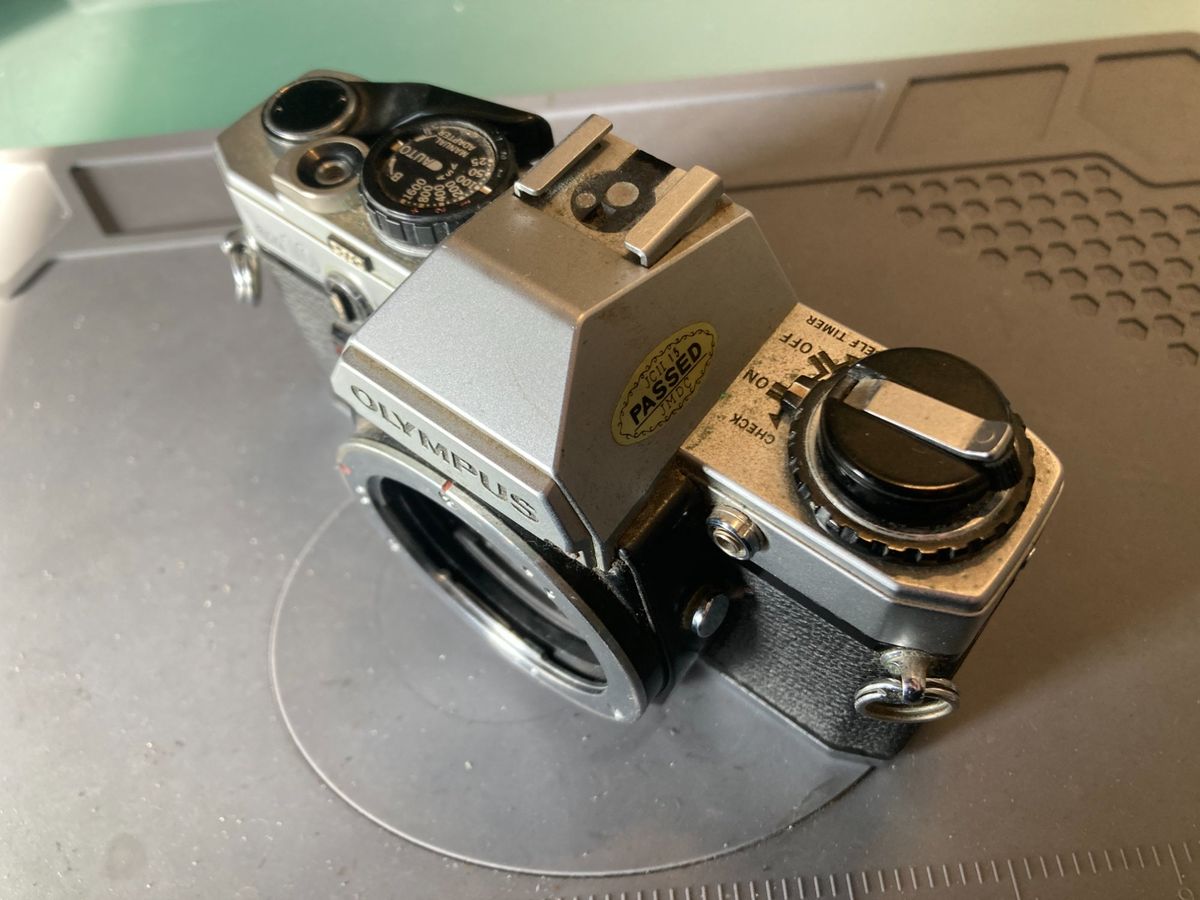
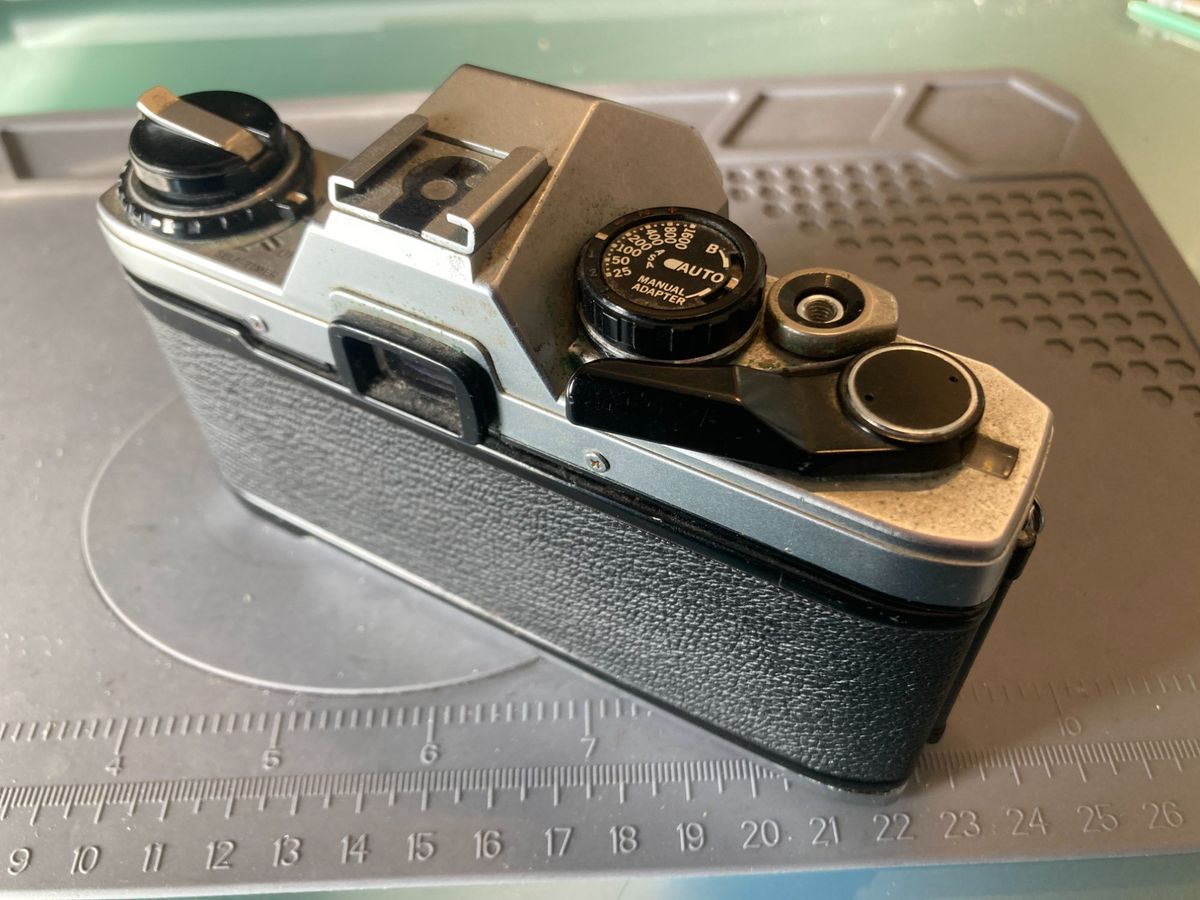
There are 6 screws to remove. Two long ones at the front and four shorter ones on the sides and back.
- Remove the two long screws from the front
- Remove the four short screws from the sides and back
Remove the rewind lever and power dial
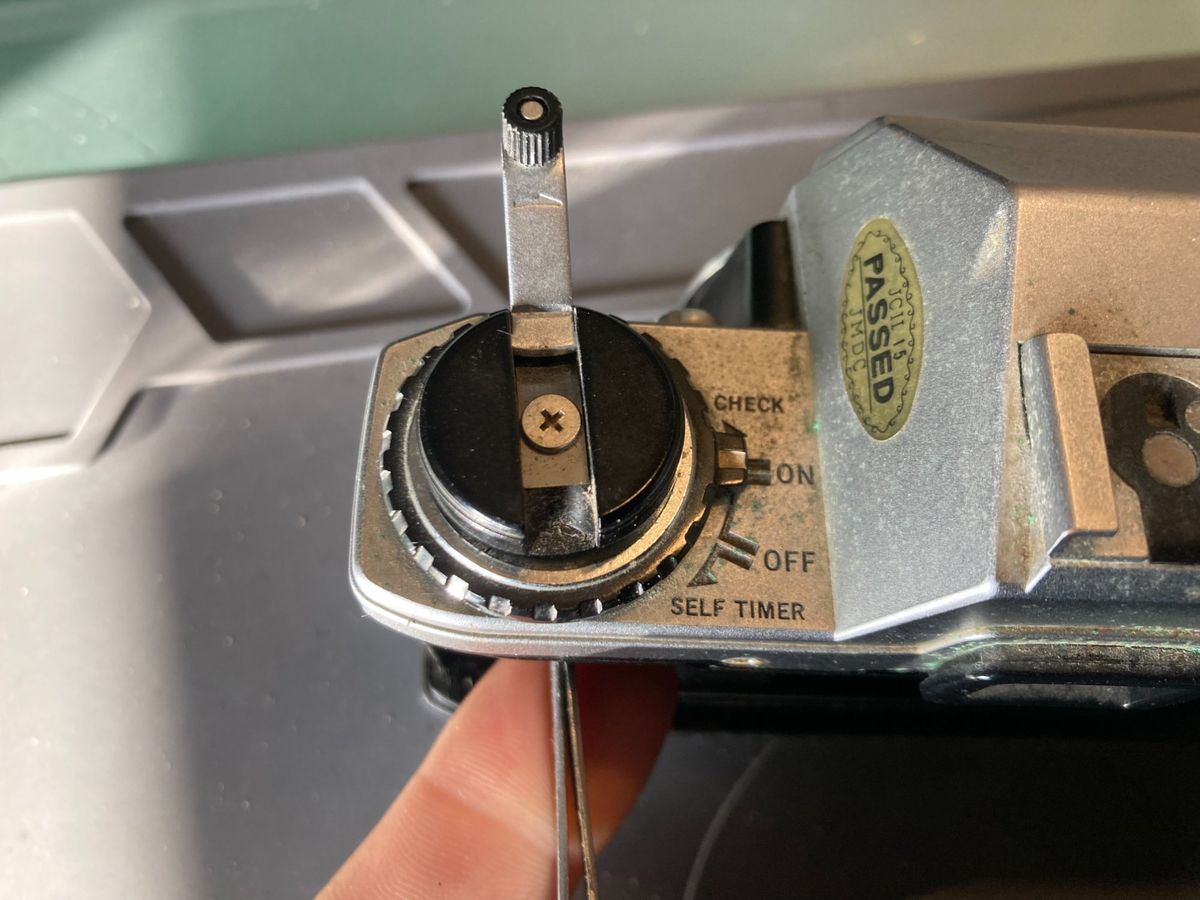
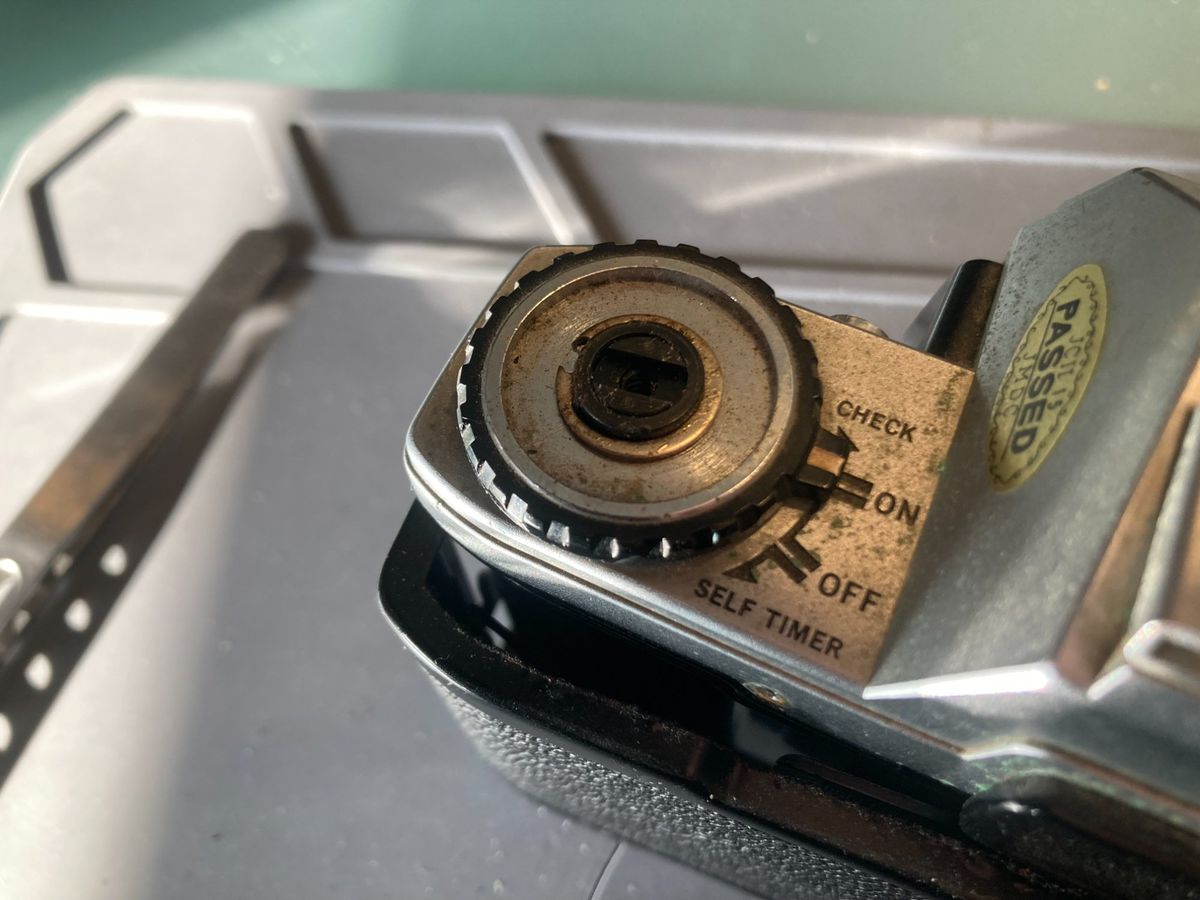
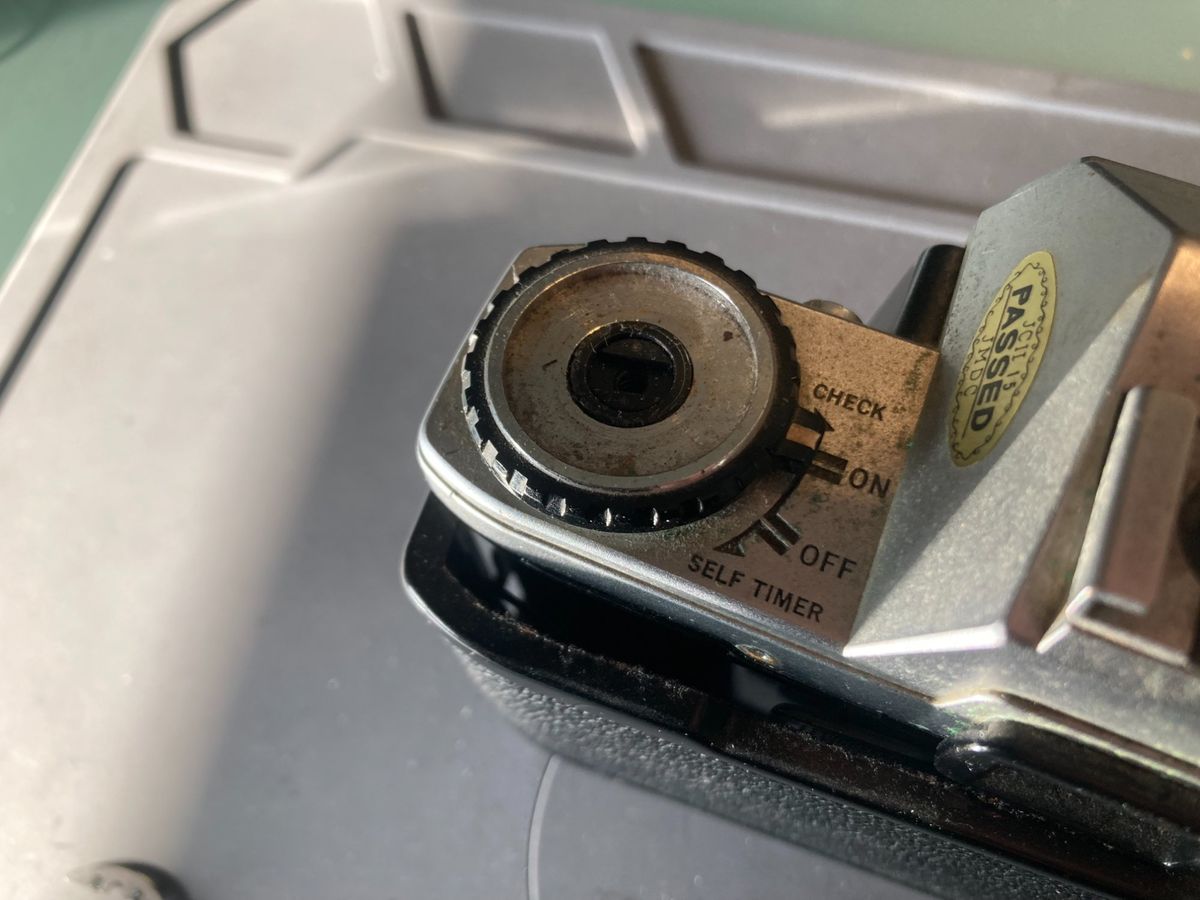
Removing the circlip is best done with some fine circlip pliers, but if you don't have these it can be carefully levered off using a small screwdriver. Be careful removing the power switch because there are fine contacts that are easily damaged.
- Open the back of the camera, put something in the winding fork to jam it and unscrew the winder
- Remove the circlip from around the central plastic column
- Be careful removing the power switch because there are fine contacts that are easily damaged
Remove the wind lever
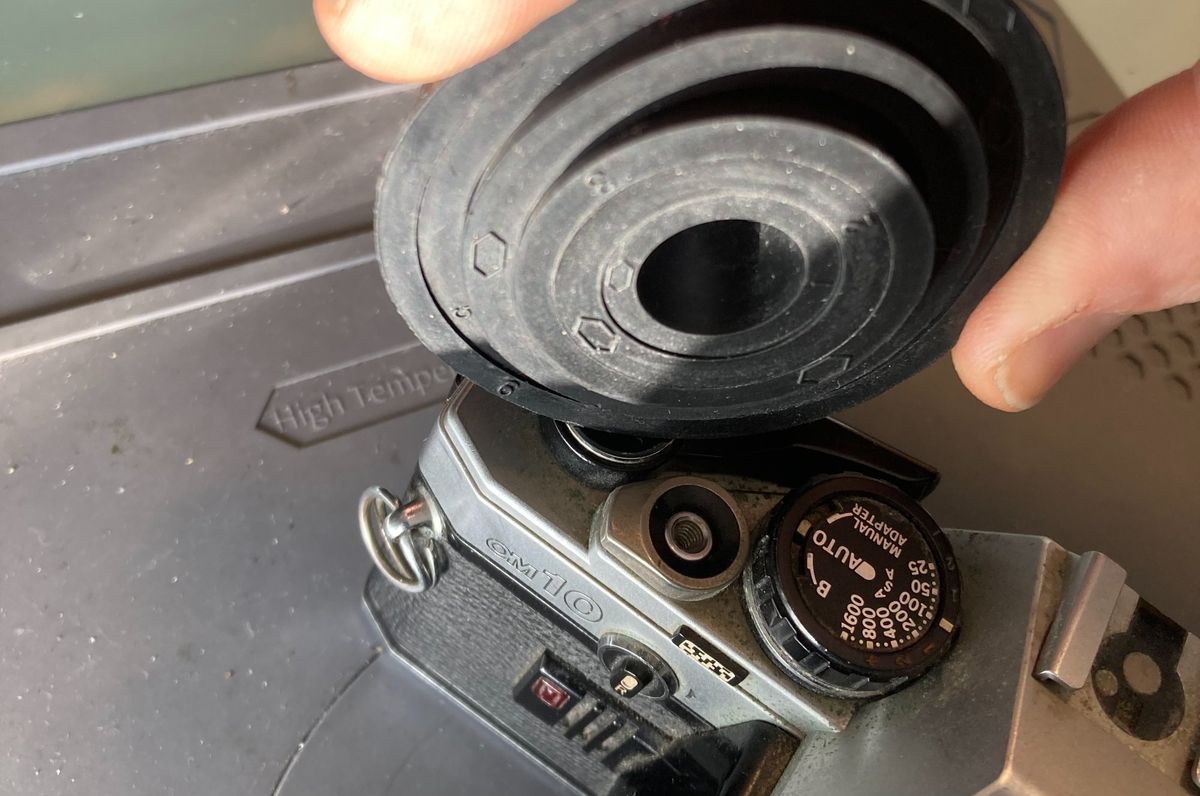
It is best to try and use friction to unscrew this (normal threaded, turn anti-clockwise) without damaging it. There are two holes to use a spanning wrench, however the plate is thin and easily damaged by too much force.
- Remove the top plate from the wind lever using friction
Remove the top cover
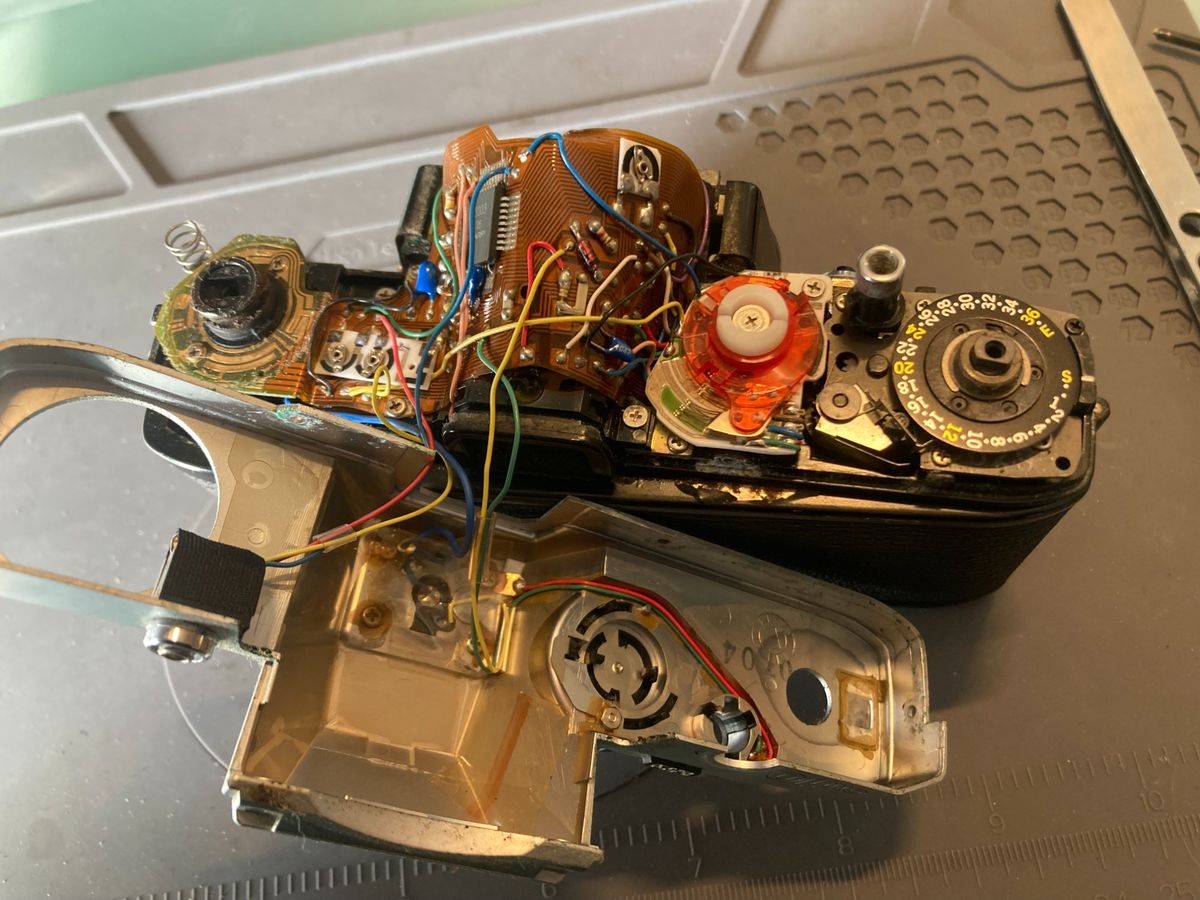
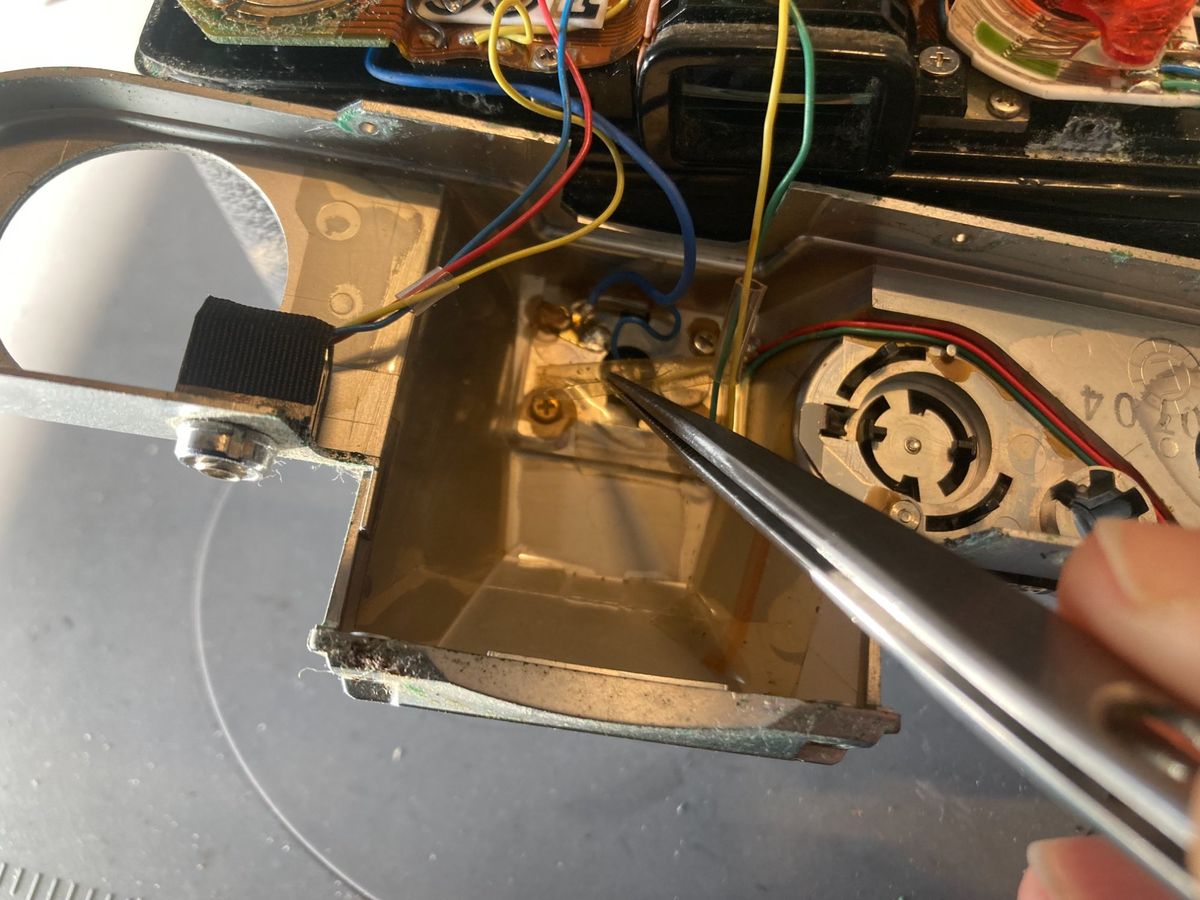
The top cover should now be able to be removed. It is connected via wires to the internals of the camera. If you are going to do more to the camera then these wires are best unsoldered. There is a blue wire with two cores - this is connected to a second wire that is in turn connected to the flash mount. Do not unsolder it directly from the flash mount because it is easy to melt the plastic mount.
- Unsolder the yellow wire
- Unsolder the green wire
- Unsolder the red wire
- Unsolder the second yellow wire. It is soldered along with another wire - reattach the other one so you don't forget where it goes
- Unsolder the blue wire
- Pull the connection on the blue wire out from the plastic tube and unsolder it
- Do not unsolder directly from the flash mount - it is easy to melt the plastic


